

 Orbit · Alpha
A higher view for your desktop.
The workspace overview for Hyprland.
Orbit brings your workspaces and windows into one clear view. Find a window, bring it forward, or drag it to another workspace without losing your place. Built in Rust with GPUI, for Omarchy and the Hyprland desktop.
Inside Orbit
See everything. Switch anywhere. Stay in flow.
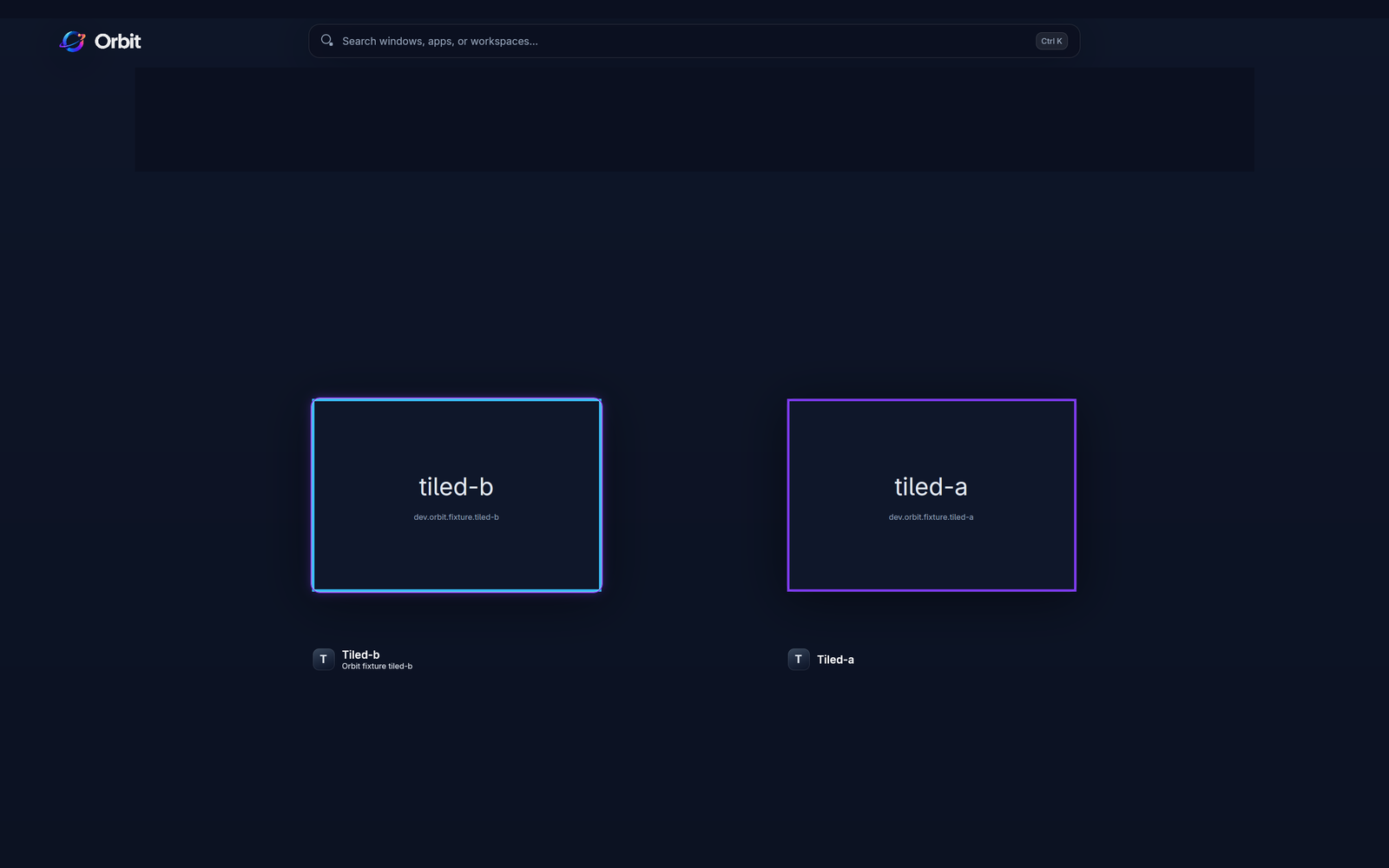
See your desktop clearly.
A workspace rail and live window cards bring your work into one overview. Select a card to bring that window forward, or choose another workspace without searching through layers of windows.
Put windows where they belong.
Drag a window onto a workspace tile, or open the keyboard move menu and filter the destinations. By default, moving a window keeps you where you are; hold Shift to follow it, or change that preference in settings.
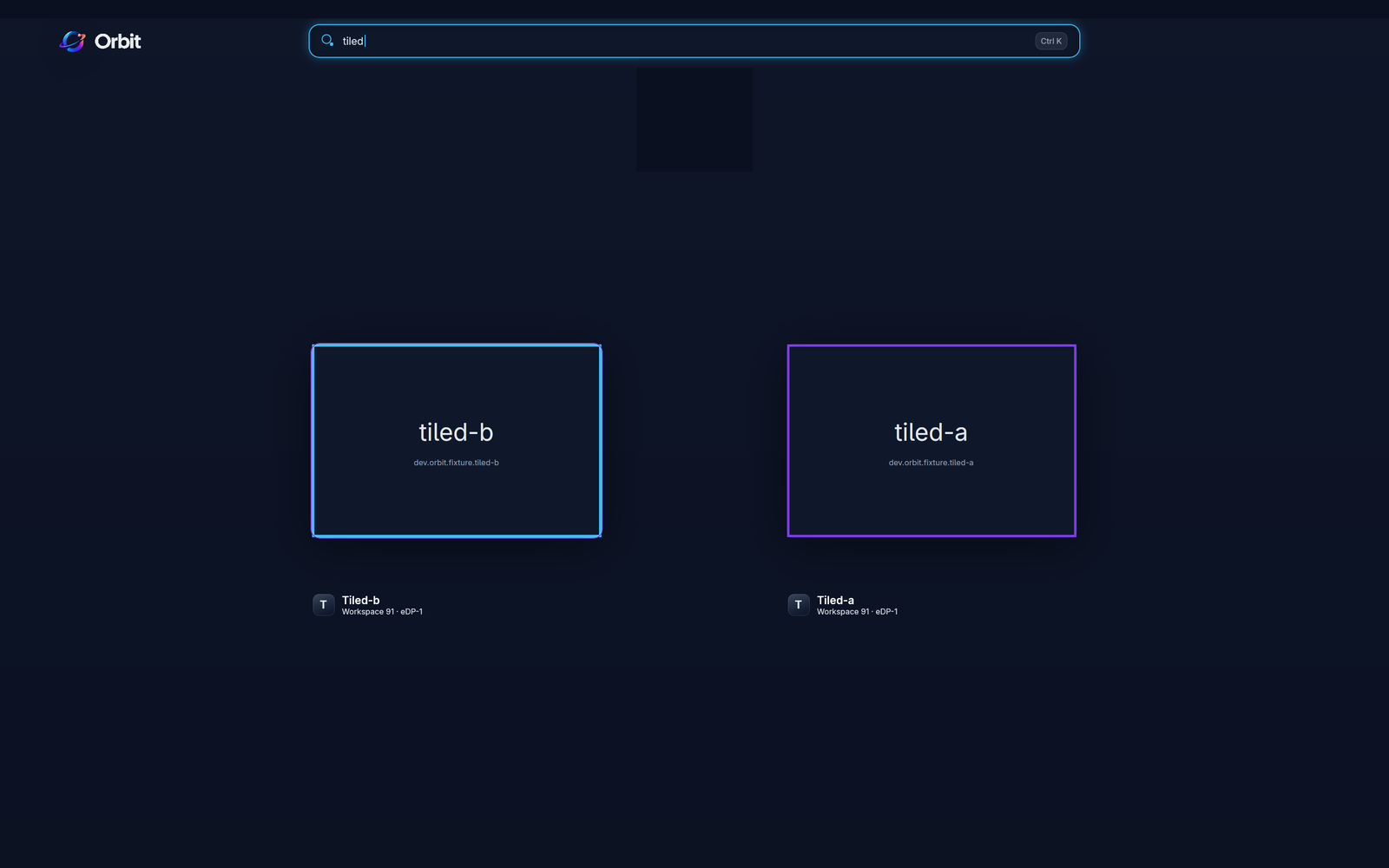
Find the window you need.
Start typing to search window titles, application names, and workspaces. Use the arrow keys, Tab, and Enter to navigate and activate a result. The keyboard can take you from finding a window to moving it.
Open it your way.
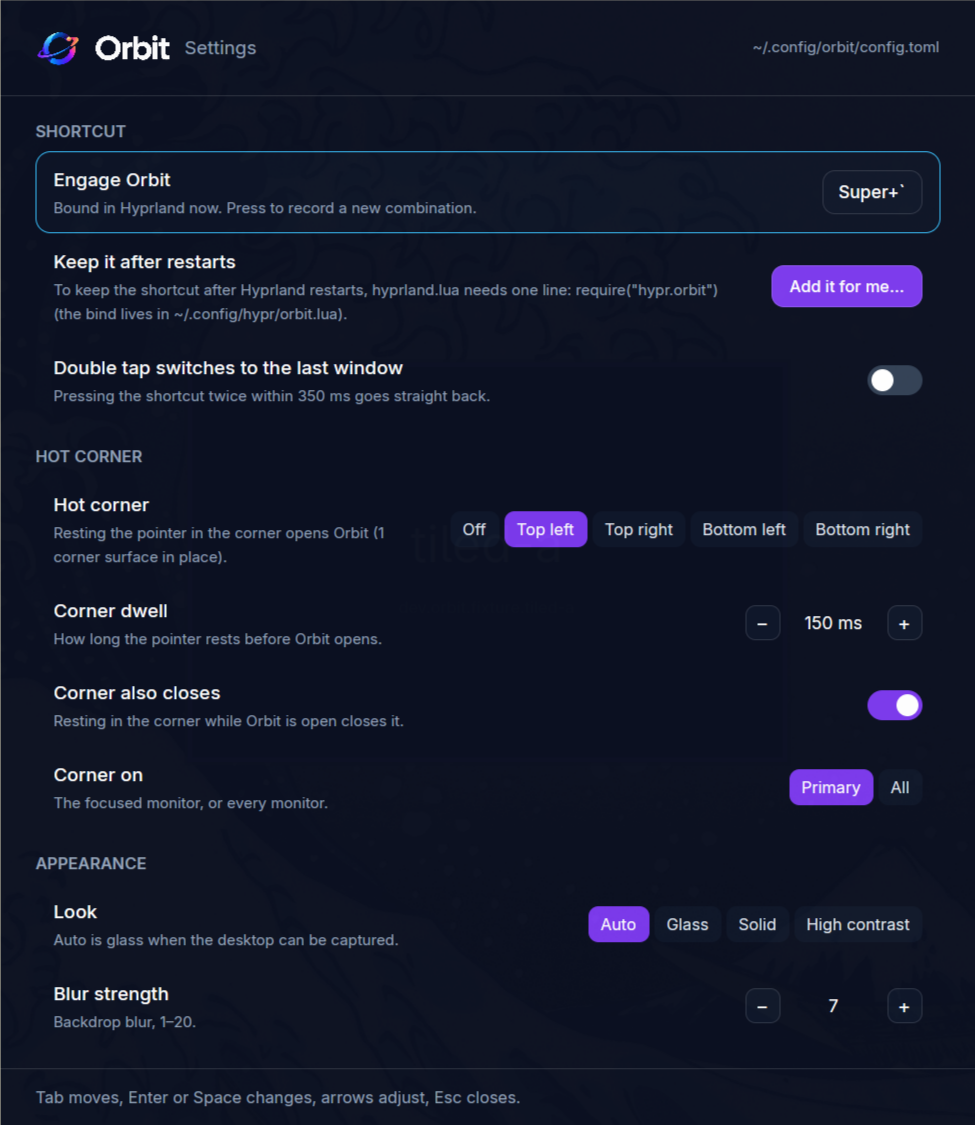
Use a configurable shortcut, an optional hot corner, or orbit toggle. Settings let you choose the layout, window labels, and whether Orbit launches at login.
Feel at home on Hyprland.
Orbit is a native Rust and GPUI utility, built for Omarchy and supported Hyprland sessions. Choose a frosted overview, a solid background, or high contrast. Window previews stay in memory on your device and are discarded when the overview closes.
Stay current.
Orbit checks GitHub for new releases and notifies you when an update is available. Release installations support in-place updates and optional automatic installation; source builds need to be rebuilt. Update checks and release downloads use the network, and checks can be turned off in settings.
- Platform
- Linux / Hyprland · Built for Omarchy
- Status
- Alpha
- Built with
- Rust and GPUI
- Source
- GitHub repository
- Releases
- Published alpha releases
- License
- MIT
Getting started
A higher view, close at hand.
Orbit requires Hyprland 0.56 or newer, a Wayland session, and a Vulkan-capable GPU and driver. Live previews need the ext-image-copy-capture protocol with a foreign-toplevel source. If capture is unavailable, Orbit uses placeholder cards. Capturing windows on inactive workspaces is off by default.
The installation guide covers release installs and source builds. After installing, start the Orbit daemon and press Super + ` to open the overview. Launch at login is optional. Run orbit doctor to check what your session supports.
Orbit is an alpha for the Hyprland desktop. Other desktop environments and X11 sessions are outside its current support. Last Refuge is independent and is not affiliated with or endorsed by Omarchy or Hyprland.